
YouTube
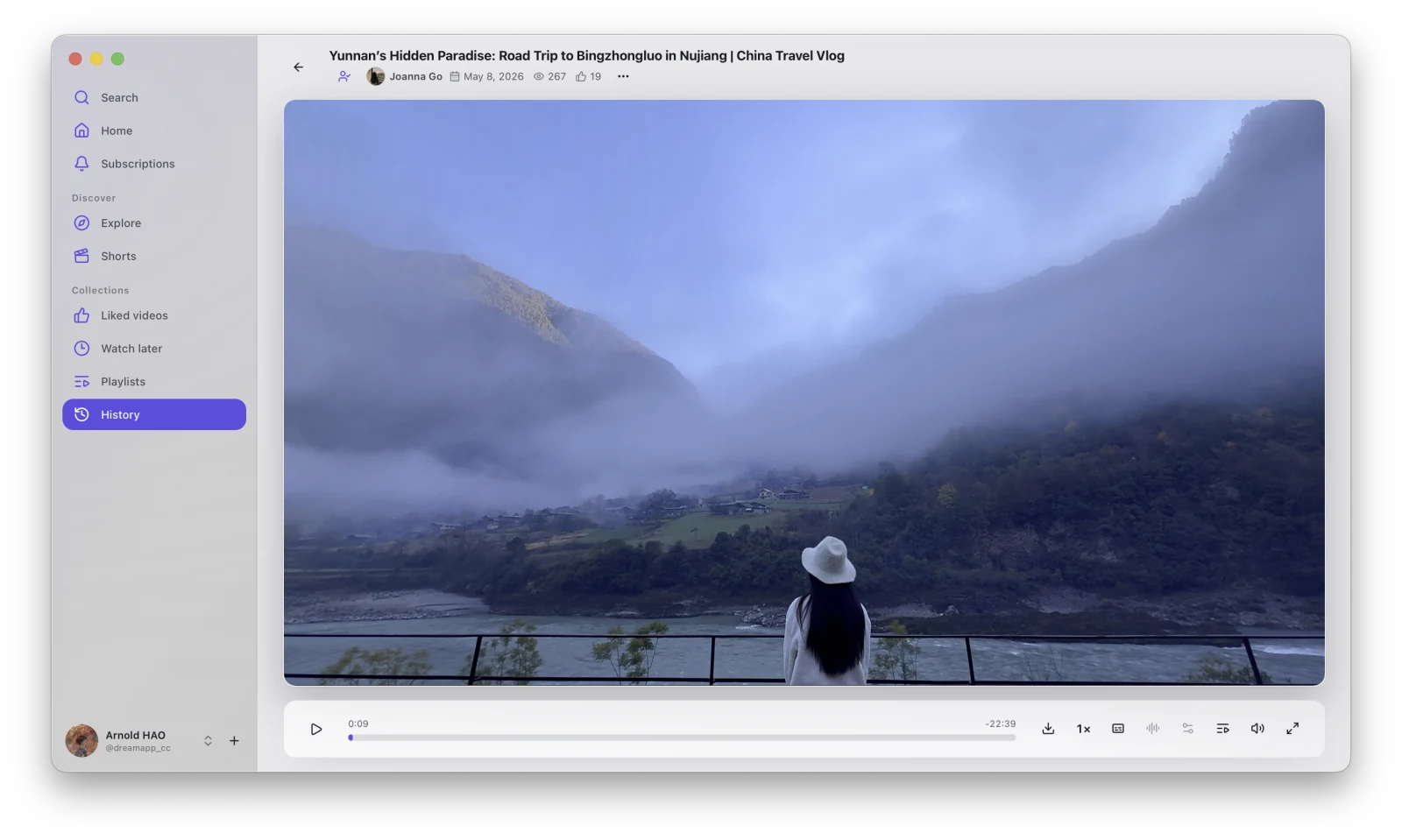
YouTube provides Home, Subscriptions, Explore, Shorts, and account collection pages. After finding a video, you can play it directly or open the download flow.
Main pages
Section titled “Main pages”| Page | Purpose |
|---|---|
| Search | Find videos by keyword. |
| Home | Browse recommended content. |
| Subscriptions | View content from subscribed channels. |
| Explore | Browse popular topics and categories. |
| Shorts | View short videos. |
| Liked Videos | View content liked by the account. |
| Watch Later | View the Watch Later list. |
| Playlists | View the account’s playlists. |
| History | Return to watched videos. |
Account pages require a valid YouTube App Session. The page displays a corresponding message when you are signed out, the session has expired, or the network is unavailable.
From browsing to downloading
Section titled “From browsing to downloading”- Choose a video from Home, Search, or another list.
- Open the playback page.
- Use Download in the player or video menu.
- Choose quality, subtitles, and transcoding in the download window.
- View the task and files in the Library.
Continue reading: