
Sniffing
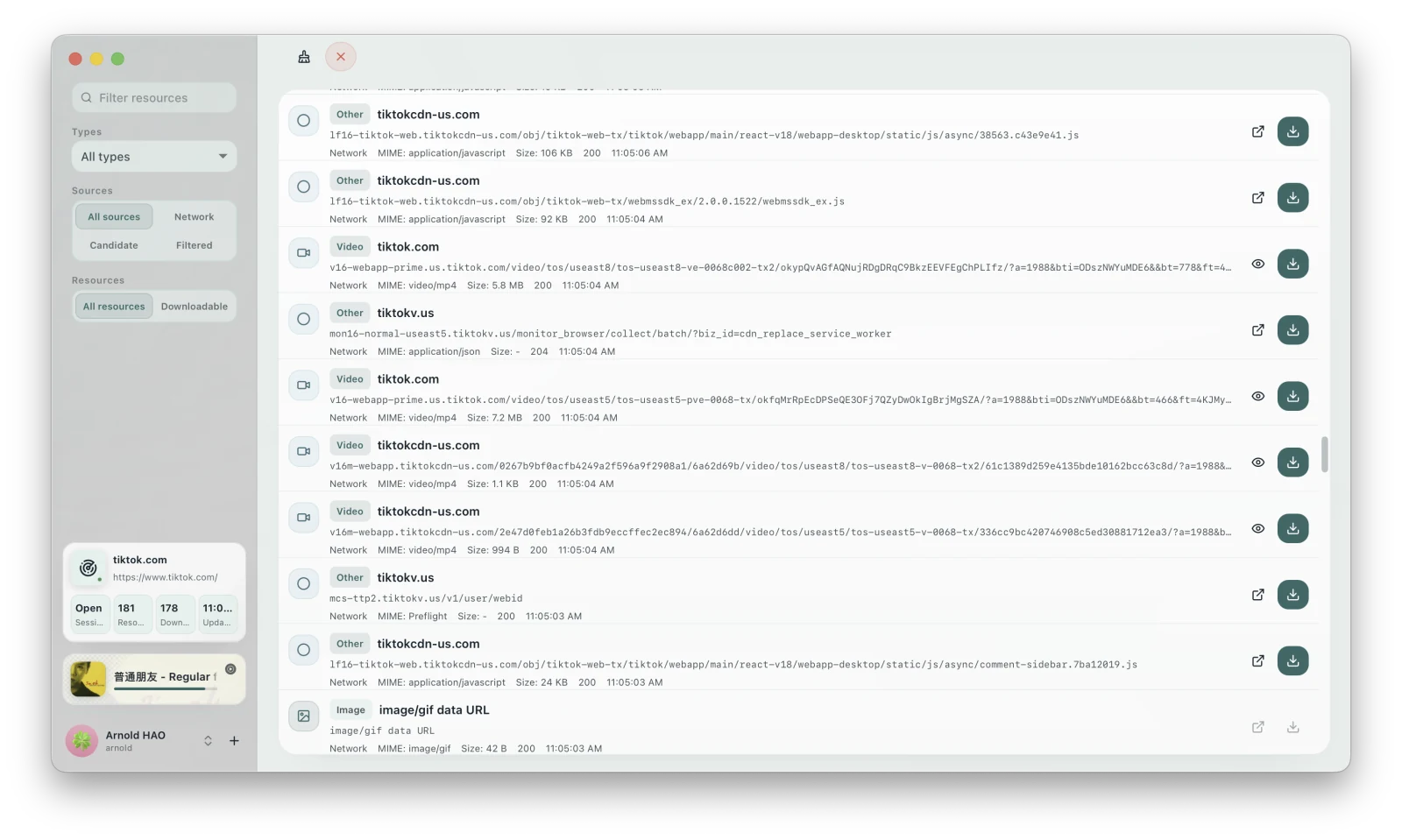
Sniffing handles web pages that a normal link download cannot parse directly. It can connect to the current Chrome session or use a browser profile managed separately by XiaDown, then list the page’s video, audio, live streams, media manifests, subtitles, and other loaded resources.
When to use Sniffing
Section titled “When to use Sniffing”- The media loads only after you open the page and click Play.
- The page requires sign-in, verification, or another interaction.
- The content uses HLS, m3u8, temporary links, or API responses.
- New Download reports that the link is unsupported, but the page itself plays normally.
Basic workflow
Section titled “Basic workflow”- Switch to Sniffing.
- Click “Start Sniffing,” choose an installed browser, then select Browser Default or XiaDown Managed.
- After the browser opens, visit the target page and complete any sign-in, verification, or playback steps.
- Return to XiaDown and wait for resources to appear in the list.
- Filter by type, source, or download state.
- Preview the target resource, then click Download.
A download creates a Library task. Its progress and files are managed in the Library.
Page layout
Section titled “Page layout”| Area | Purpose |
|---|---|
| Session status | View the current page, tab count, resource count, and browser status. |
| Search and filters | Narrow the list by keyword, resource type, source, and download state. |
| Resource list | View resource names, types, sizes, scores, and available actions. |
| Details / Preview | Inspect addresses, media types, filter reasons, or actual content. |
Continue reading: