
Listen
Listen is XiaDown’s built-in player. It is called Listen in every language. It combines YouTube Live radio, YouTube Music, and local audio in one playback experience.
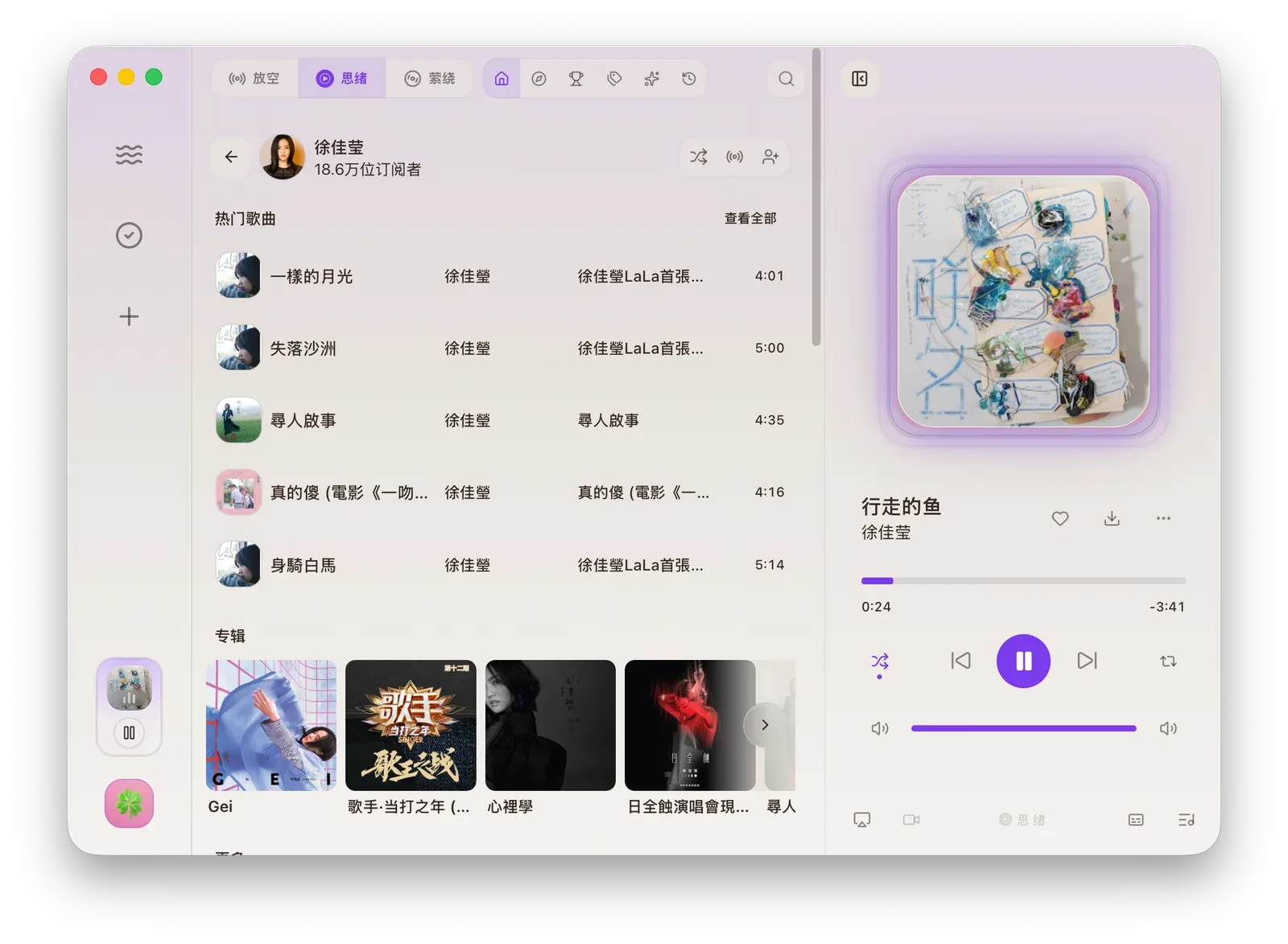
Three Modes
Section titled “Three Modes”| Mode | Best for | Read More |
|---|---|---|
| Hush | Play YouTube Live radio, including custom groups and custom channels. | Hush |
| Muse | Use YouTube Music Home, Explore, Charts, History, Search, and library content. | Muse |
| Linger | Play downloaded local audio and manage a local queue. | Linger |
Player Controls
Section titled “Player Controls”| Control | Result |
|---|---|
| Play / Pause | Start or pause current audio. |
| Previous / Next | Move through the queue. |
| Progress bar | Drag to seek. |
| Volume | Change volume or mute. |
| Playback mode | Switch order, shuffle, or single repeat. |
| Favorite | Like or unlike a YouTube Music song. |
| Download | Add downloadable audio to download tasks. |
| Lyrics | Open lyrics; Settings can enable synced lyrics, romanization, or pinyin. |
| Queue | View upcoming items and remove, move, undo, or redo. |
| More | Open page, copy link, switch video display, or use AirPlay when available. |
Mini Player and Tray
Section titled “Mini Player and Tray”The lower-left mini player shows the current playback state. Hover over it to see cover, title, artist or channel, progress, and previous, play/pause, next controls.
The system tray provides the same quick playback entry. You can view current playback and control basic actions without opening the main window.
Effects and Display
Section titled “Effects and Display”Settings, Player page controls synced lyrics, lyric romanization, and pinyin. Equalizer settings can enable EQ, presets, frequency bands, cover effects, and spectrum visualization. Some EQ features depend on system version and permission.