
App Sessions
App Sessions store website sign-in state that you create inside XiaDown. They are used when a download, YouTube Music, or a sniffing page needs your logged-in identity.
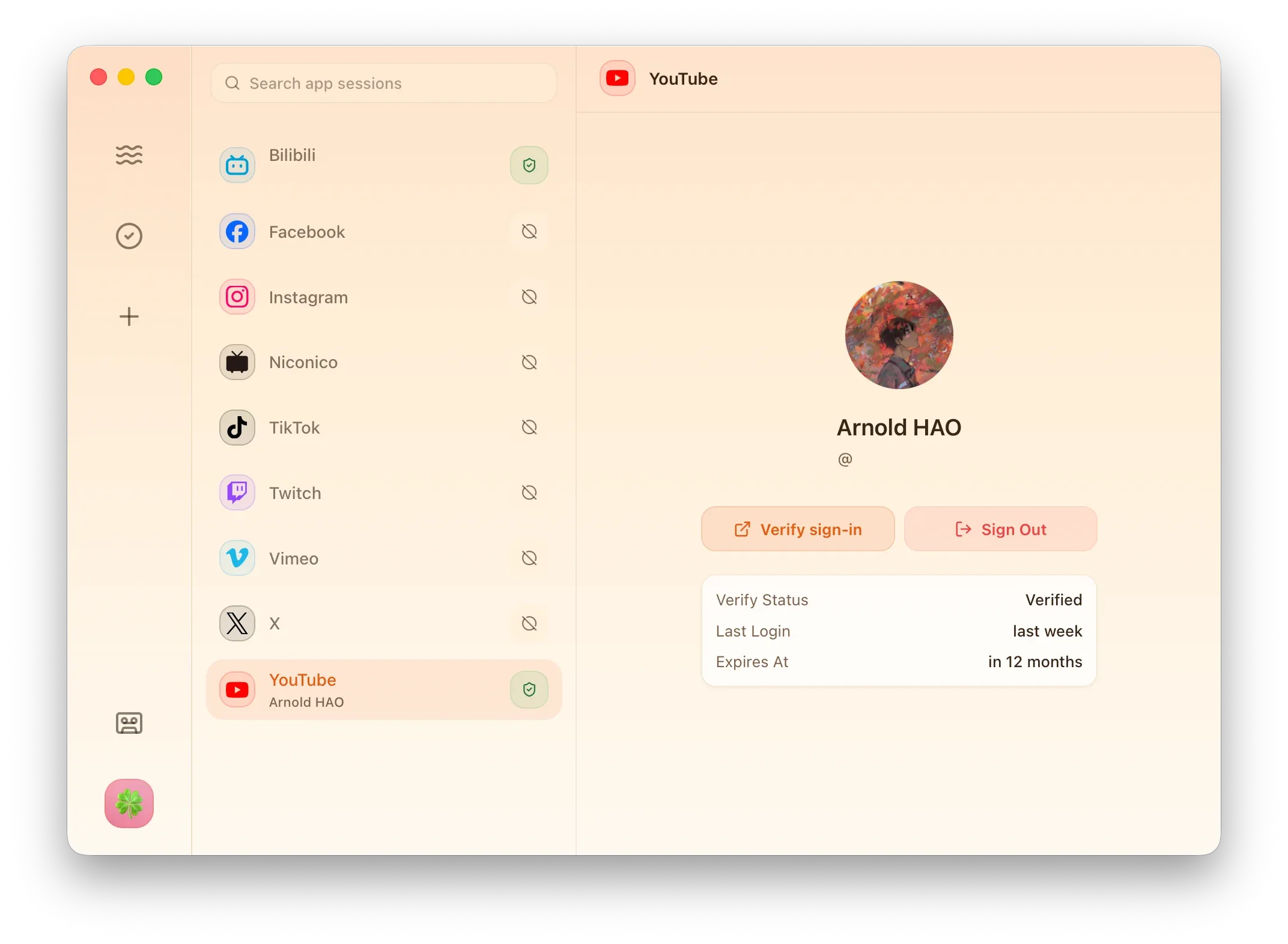
When to Use
Section titled “When to Use”| Need | What to Do |
|---|---|
| Download videos, audio, or playlists that require sign-in | Sign in on the site in App Sessions, then return to Download Task and enable App Session download. |
| Use YouTube Music account content | Complete YouTube sign-in in the App Session browser, then return to Listen Muse. |
| Check whether an account is still valid | Use the check or verify action on the site row. |
| Stop using an account in XiaDown | Sign out or remove the session from the site row. |
Page Actions
Section titled “Page Actions”| Action | Result |
|---|---|
| Open login | Opens an isolated App Session browser for that site. |
| Check / verify | Checks whether the stored session can still be used. |
| Refresh | Updates the visible account and status information. |
| Sign out / remove | Clears XiaDown’s session for that site. |
How Sessions Are Saved
Section titled “How Sessions Are Saved”XiaDown saves the website session information produced after you actively sign in. It does not directly read accounts from your everyday browser and does not change the sign-in state of your everyday browser.
Sessions are stored locally and encrypted by the operating system. On macOS, XiaDown uses Keychain. On Windows, it uses the system-provided encrypted credential storage. These sessions are used only by XiaDown features such as App Session download, Listen Muse, and logged-in sniffing pages.
macOS Keychain Prompt
Section titled “macOS Keychain Prompt”After installing a new XiaDown version on macOS, the first attempt to read an existing session may trigger a Keychain permission window. This is normal. Confirming the prompt allows the new XiaDown version to read the encrypted session that the previous version saved.
If you deny the prompt, XiaDown may show the session as unavailable. You can try again, approve Keychain access, or sign in again.
Use your own account only for content you are allowed to access. If a website changes its login policy, the session may expire and need a fresh sign-in. Removing an App Session only clears XiaDown’s local session and does not delete the actual website account.